
Digital Smile Simulation
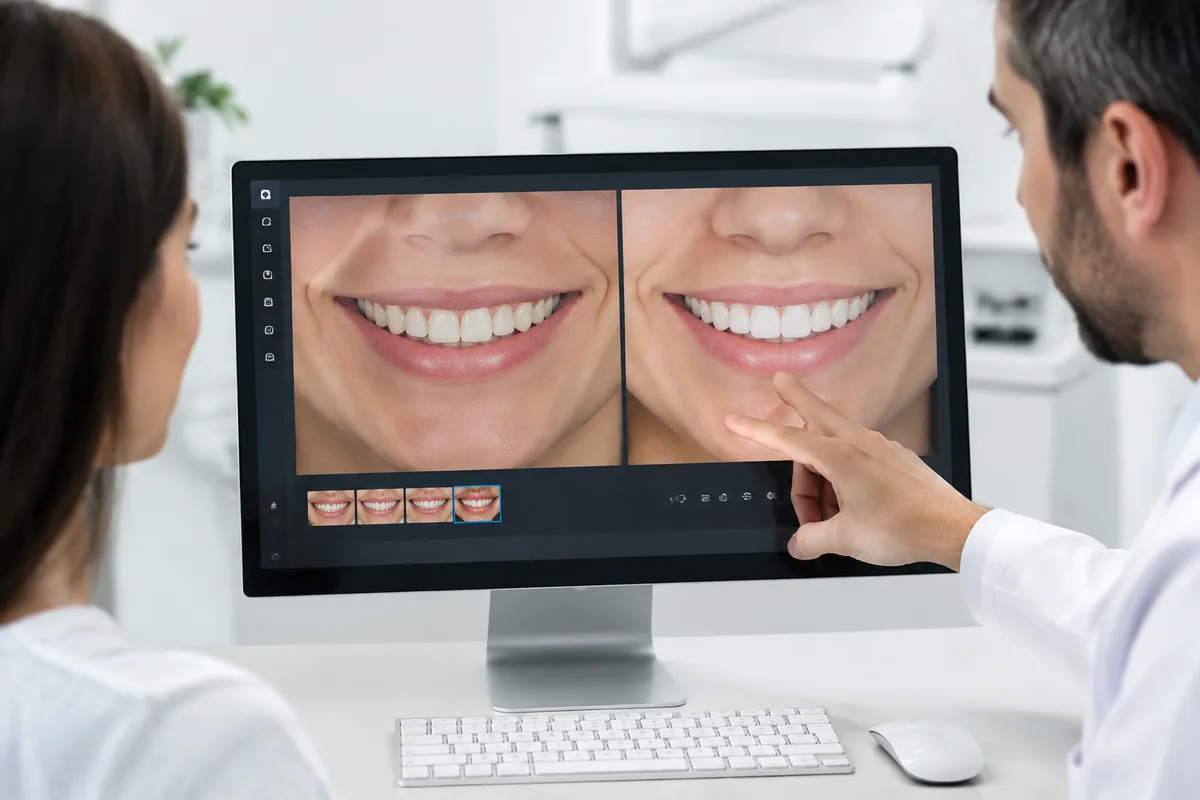
Digital Smile Simulation
Digital Smile Simulation lets you see a preview of your potential post-treatment smile before orthodontic or cosmetic treatment begins. Instead of relying only on words or hand-drawn sketches, your dentist can show you a visual sense of how changes to tooth shape, alignment, or color might look on your own face, so you can make a more informed decision before any treatment starts.
What digital Smile Simulation is
Digital Smile Simulation is a planning approach that uses photos or digital scans of your teeth and smile to create a preview of possible treatment results. It builds on older methods such as paper mock-ups or wax models, which took longer to produce and were harder to adjust. With digital tools, images can be modified more easily to explore different options for tooth shape, spacing, or alignment.
This kind of simulation is commonly used before cosmetic procedures like veneers, bonding, or whitening, and before orthodontic treatment such as braces or clear aligners, when patients want a clearer idea of what a proposed change might look like. It is a communication and planning tool, not a guarantee of a specific outcome, since final results depend on each patient's teeth, gums, and treatment plan.
How we use it at 1st Family Dental
At 1st Family Dental, Digital Smile Simulation is one of several digital tools available to help patients understand their options before treatment begins. It works alongside our iTero Element Scanner, which captures digital 3D impressions of your teeth and gums and can also generate a preview of your smile during Invisalign treatment planning, without the need for messy putty impressions.
Because our records are kept fully digital, images and treatment plans can be reviewed together with your dentist and, where relevant, shared across our offices as part of your ongoing care. For patients considering cosmetic changes, smile design is part of the clinical focus described by Dr. Joseph Tadros, whose training includes restorative and cosmetic dentistry alongside smile design. Simulation of this kind can support conversations about veneers, bonding, teeth whitening, or orthodontic options such as Invisalign, helping you and your dentist discuss what you would like a treatment to achieve before deciding on next steps.
What it means for you
Seeing a visual preview before treatment can make it easier to ask questions and set realistic expectations. Rather than trying to imagine a result from a description alone, you have an image to reference, which can make conversations with your dentist more specific and productive.
Digital simulation can also support clearer communication between you and your dental team about the goals of a cosmetic or orthodontic plan. This may help you feel more confident about a decision, and can reduce the back-and-forth sometimes needed when expectations aren't aligned from the start. As with any planning tool, the simulation is a guide for discussion rather than a promise of a specific final result.
What to expect during your visit
A visit involving Digital Smile Simulation typically starts with a conversation about what you'd like to change or improve about your smile. Your dentist may then take photos or a digital scan, such as with the iTero Element Scanner, to capture your current teeth and bite. This part of the appointment is quick and does not involve any messy materials or discomfort.
Once the images are captured, your dentist can review possible adjustments with you on screen, discussing different options for shape, alignment, or brightness depending on the treatment you're considering. This review is usually done chairside, so you can ask questions and give feedback in real time. Afterward, your dentist will outline recommended next steps, which may include further imaging, a fitting for aligners, or scheduling a cosmetic procedure.
Frequently asked questions
Is Digital Smile Simulation safe?
Yes. It relies on photographs or digital scans rather than any radiation, so there is no added exposure involved. It is simply a way of visualizing possible treatment options using images already being captured for planning purposes.
How long does the simulation take?
The imaging portion is usually brief, often just a few minutes, since it uses the same digital scanning tools used for other treatment planning. Reviewing the simulated images with your dentist and discussing options may take a bit longer, depending on how many questions you have.
Who is Digital Smile Simulation suitable for?
It can be useful for anyone considering a cosmetic change, such as veneers, bonding, or whitening, or anyone weighing orthodontic options like braces or Invisalign. Your dentist can help determine whether a simulation would be helpful based on what you're hoping to achieve.
Does seeing a simulation mean my results will look exactly the same?
A simulation is meant to support discussion and planning, not to guarantee an exact final appearance. Actual results depend on your individual teeth, gums, and the details of your treatment plan, which your dentist will go over with you.
If you're curious about what your smile could look like with a cosmetic or orthodontic change, reach out to 1st Family Dental to ask about Digital Smile Simulation and whether it fits into your treatment plan.
This content is for general information only and isn't dental or medical advice. Talk with your dentist or orthodontist about your own situation. If you have a medical emergency, call 911.